New to WebflowSaving vs publishing
New to Webflow
Saving vs publishing
The main habit to learn coming from WordPress: in Webflow, saving and publishing are separate. Your edits save by themselves as you work, but nobody else sees them until you publish.
Saved is not online
- Saving happens automatically. There is no Update button. Close the tab and your edit is still there next time.
- Publishing puts it online. Until you publish, visitors see the old version.
Two ways to publish
Which one you use depends on what you changed. Every task page tells you which; this is the idea behind it.
| You changed… | How you publish |
|---|---|
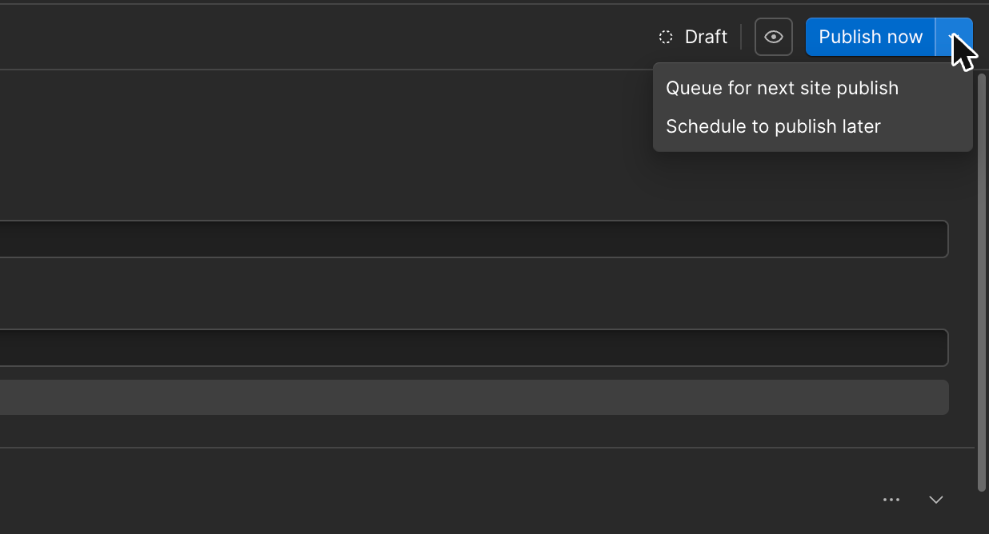
| A news post or a Chatter issue (a CMS item) | The Publish control on that item |
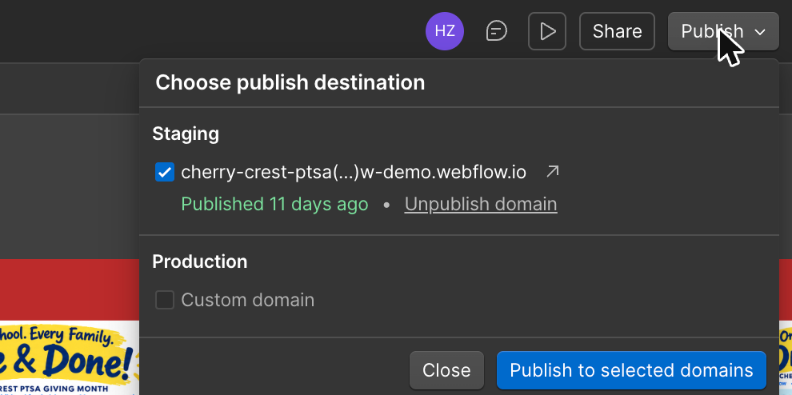
| Anything on a page (Home, a club page, the home page box) | The Publish button at top right, which publishes the whole site |
| What goes online | Publish one item | Publish the whole site |
|---|---|---|
| The one post or Chatter issue you chose | ✓ | — |
| Other posts and Chatter issues | ✗ | Only ones marked for the next site publish |
| Your saved page edits | ✗ | ✓ |
| Other editors' saved page edits, finished or not | ✗ | ✓ |
| Home page box, menus, special issue pages | ✗ | ✓ |
| Drafts | ✗ | ✗ |
Before a whole-site publish, check nobody is halfway through a page edit. Their unfinished work goes online with yours. A quick message to the other editors is enough. TBD who may publish the whole site.
Practice site and live site
- Today: every publish goes only to the practice site (
…webflow.io). - After launch: a publish goes to the practice site and www.cherrycrest-ptsa.org at once.
Why there is no "publish just this page"
Webflow sells publishing a single page only on its top plans: Team, which costs $2,500 a month, and Enterprise. On the Premium plan the PTSA is buying, the only way to put a page change online is to publish the whole site. CMS items are different: Premium can publish one at a time. That is one reason news posts and Chatter issues are CMS items (how the site is built).
Why it costs so much. A page is not self-contained: it uses styles, components and menus that every page shares. To publish one page alone, Webflow has to put that page online against the shared parts that are already live, and keep everything else as it was. That took real engineering, but the price is mostly about who needs it. It matters to large teams with many people editing at once, and those teams buy the top plans. For a small team like the PTSA's, a quick "anyone mid-edit?" message does the same job.
Everyone shares one login, so Webflow cannot stop any one editor from publishing the whole site. Until the PTSA decides, treat it as the site manager's job.
Checked Oct 26, 2026 on webflow.com/pricing and Webflow's help article Publish a single page. Webflow does not publish its reasons for the price; the explanation above is ours.