Background and referenceHow the site is built
Background and reference
How the site is built
Like WordPress's pages and posts, Webflow has two kinds of content: static pages and CMS items. Once you know which kind you are looking at, you know where to edit it, who can add one, and how it goes online.
Two kinds of pages
- Static pages are one-of-a-kind pages, each with its own layout: Home, Join, Walk-a-Thon, each club page. There are about 46.
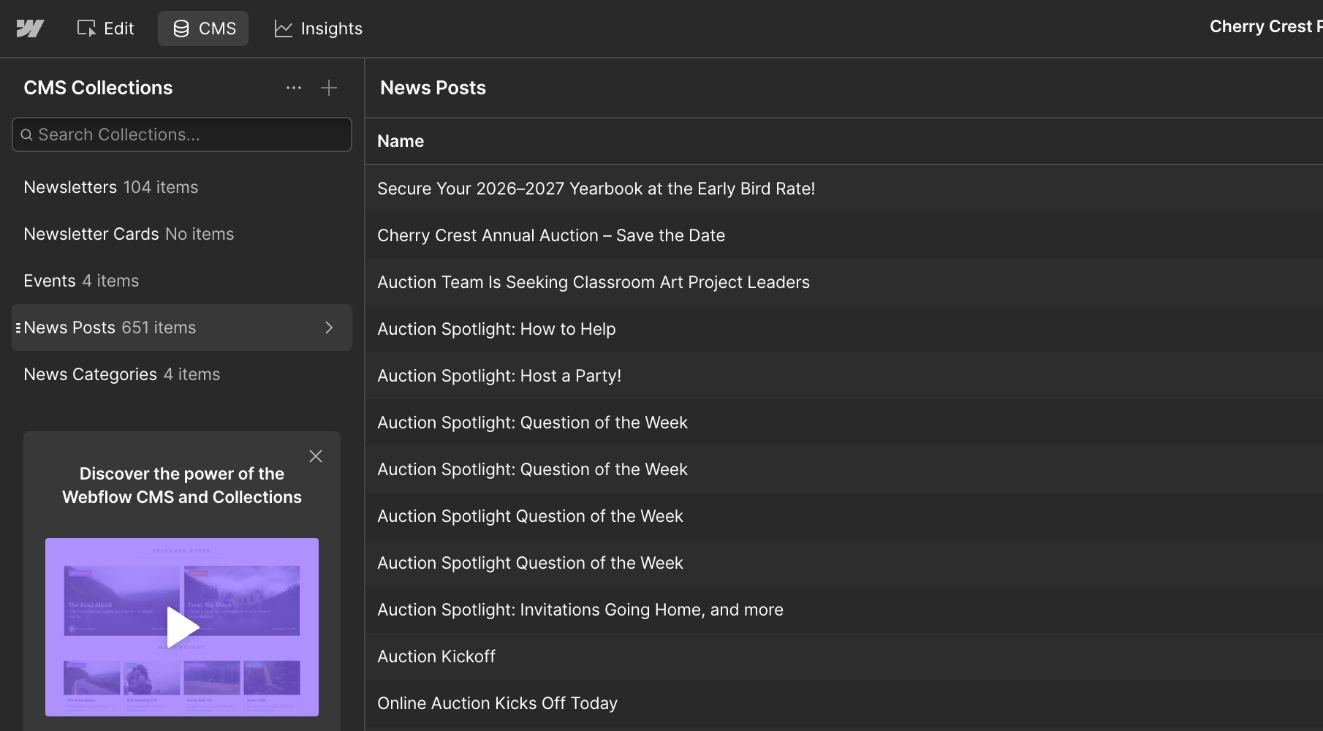
- CMS items are entries in a list that all share one layout, called a template. Each news post is an item, and the News Posts Template decides how every post looks. There are 651 news posts and about 108 Chatter issues.
An item is only a set of fields (title, date, image, text). The template decides how every item looks. The Chatter works the same way, with the Newsletters Template.
| Static page | CMS item | |
|---|---|---|
| What it is | A one-of-a-kind page, designed on its own | One entry in a list of similar things. Every entry shares one layout, called a template |
| Examples | Home, Join, Walk-a-Thon, PTSA Leadership, each club page | A news post, a Charger Chatter issue |
| How many | About 46 | About 775: 651 news posts and about 108 Chatter issues, plus a few others |
| Plan limit | 300 on the Premium plan | 20,000 on the Premium plan |
| Where you edit it | Pages list: edit mode for words and photos, the Designer for layout | CMS panel: fill in the item's fields |
| Adding a new one | The site manager duplicates a similar page in the Designer | Any editor clicks New item |
| Changing the layout | Changes only that page | Done on the template, so it changes every item at once (Designer only) |
| Putting it online | Publish the whole site | Publish just that item |
Rule of thumb. If there are many of something with the same layout, it is a CMS item. If it is one of a kind, it is a static page.
Why so much is in the CMS
Webflow charges for each site with a site plan. The plan sets how many static pages and CMS items the site may have, and whether it can use your own web address at all. The launch plan is to buy the CMS plan. In May 2026 Webflow merged its CMS and Business plans into one plan called Premium, so that is the plan to buy.
If every news post and Chatter issue were a static page, the site would need about 820, so they are CMS items instead. That uses about 775 of 20,000.
| Site plan | Price | Static pages | CMS items | Collections | Own web address |
|---|---|---|---|---|---|
| Starter | Free | 2 | 50 | 20 | No, webflow.io only |
| Basic | $15/mo yearly, $25 monthly | 300 | None | None | Yes |
| Premium (the plan to buy) | $25/mo yearly, $39 monthly | 300 | 20,000 | 40 | Yes |
Checked Oct 26, 2026 on webflow.com/pricing and Webflow's help article Updated pricing and simplified plans for May 2026. Prices are in US dollars, per site, before tax. TBD whether Webflow offers the PTSA nonprofit pricing.
What this means for you
- News posts and Chatter issues are free to add. They are CMS items, and the site is far from the 20,000-item limit.
- Every new static page counts toward the 300. That includes a new club or fundraiser page and every special issue of the Chatter, because each special issue is its own page (see Make a special issue). With about 46 used, there is plenty of room, but it is the reason the site does not make a new page for things that repeat.
- Template pages do not count. Webflow does not count CMS template pages or utility pages (such as the 404 page) toward the static-page limit. Its help page does not say whether draft pages count, so assume they do.
- The free plan is not enough. Starter allows 50 CMS items and no own web address, and Basic has no CMS. The practice site has no site plan yet: it runs on webflow.io inside the developer's Workspace, and the PTSA buys the plan after the site is moved to a PTSA Workspace.
The CMS collections
A collection is one list of CMS items. Each collection has a template page that shows any of its items. The Premium plan allows 40 collections; the site uses 5.
| Collection | What each item is | Web address |
|---|---|---|
| News Posts | One news post. Posts also fill the home page news rows and /all-news | /news/… |
| News Categories | PTSA News, School News, Community Bulletin, District News. Each category's page lists its posts | /category/… |
| Newsletters | One Charger Chatter issue. All published issues are listed on the Chatter Archive | /newsletters/… |
| Newsletter Cards | A post featured inside an issue. The composer makes these for you | None of its own |
| Events | An event. No page shows this collection yet, so adding one changes nothing on the site | None yet |
In the Pages list, the pages called "… Template" are these layouts. Edit the item, not the template: a change to the template changes every item.
Where the old WordPress site went
Every part of the old site moved to one of the two kinds:
| On WordPress | In Webflow | Kind |
|---|---|---|
| Pages (Home, Join, About, clubs, fundraisers…) | Rebuilt one by one as pages | Static |
| A few posts that worked like pages (Cub Scouts, Magic Club, Fall Fundraiser) | Pages | Static |
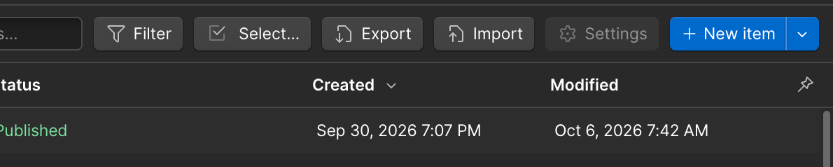
| Posts | News Posts items. 611 of the 651 are still drafts until a decision is made (status) | CMS |
| Post categories | News Categories items | CMS |
| MailPoet emails (the Chatter archive) | Newsletters items | CMS |
| The weekly "Take Action!" and "Upcoming Events" posts | The box on the Home page | Static |
| Old web addresses | Redirects send old links to the new page | — |
One mix of the two: a new special issue is a static page, made from Newsletter Starter, plus a Newsletters item that lists it in the archive.